Project
Splice AI
My Role
Co-founder
Category
Startup
Year
2024
Summary
Built a Data Analytics platform with Multi Agent System.
Building a multi-agent AI system for autonomous data analysis.
I co-founded Splice AI with Sahil Kumar, former Director of AI Products at Twilio. In our previous roles, (Sahil in product leadership and myself as Head of Design at ThousandEyes) we both depended heavily on data to make informed decisions. Yet time and again, we ran into the same frustrating pattern.
Ad-hoc analytics requests pile up, and trust in data is fragile
Analyst Bottleneck
Decision Friction
The SMB Gap
A multi-agent analytics workflow that mirrors a real analytics team
We set out to build Splice AI: a plug-and-play, AI-powered analytics platform that could take on the entire data analysis process end to end.
- Multi-agent system: Built on Autogen, with specialized agents acting as a Project Lead, Data Engineer, Data Cleaning Specialist, Data Analyst, Visualization Expert, and Industry Expert.
- End-to-end workflow: From data discovery → cleaning & preparation → analysis → visualization & reporting, all handled autonomously by multiple AI agents.
- Human-like output: Easy for business (non-technical) users to run analyses without relying on an expert data analyst.
Deep diving into the real-world friction of data analytics.
We spoke to ~30 data analysts and analytics leaders from companies like Cisco, Twilio, Tesla, PayJoy, Gojek, PG&E, and a range of mid- to small-sized businesses.
Our goal was to:
- Understand the day-to-day friction and pain points in delivering analytics.
- Identify which parts of the data workflow were most painful.
- Learn how constraints differed between enterprises and SMBs.
Key Insights from Interviews
Ad-hoc Demand
Data Discovery
Manual Wrangling
Data Trust
Impact on Our Design Process
- Focused on three high-impact areas: data discovery, data cleaning & validation, and report generation.
- Showed underlying data and its source to build trust.
- Designed the UI to make conversational interface open but guided, reducing the risk of misuse.
Iterating from prototype to scale.
From the start, we knew speed of iteration would be critical. Instead of spending months building a fully functional prototype, we decided to design and test rapidly in Figma, validate assumptions, and refine based on direct feedback.
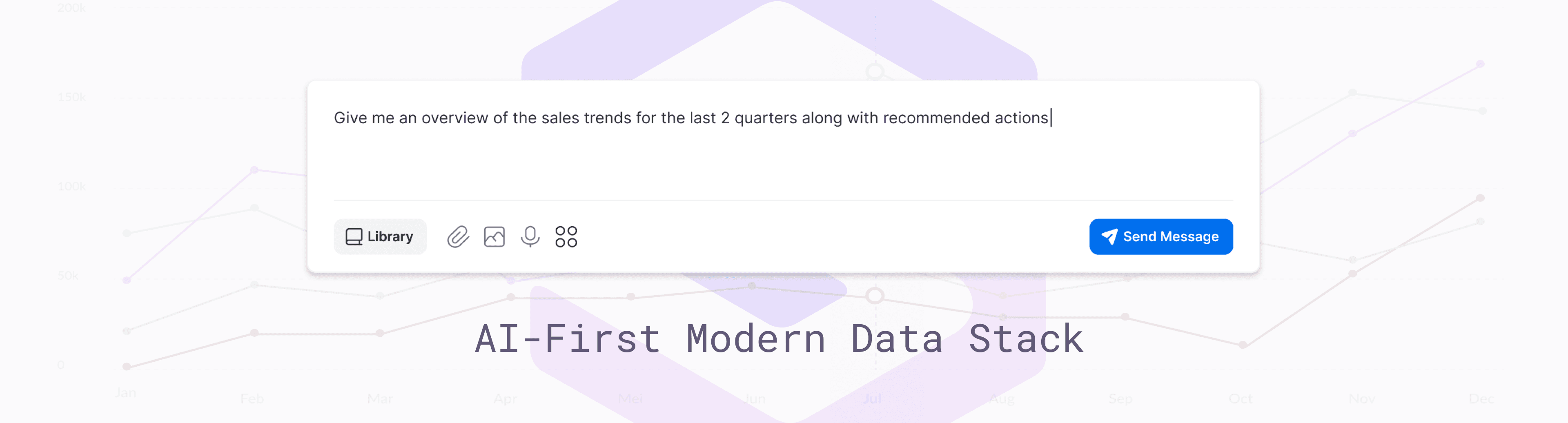
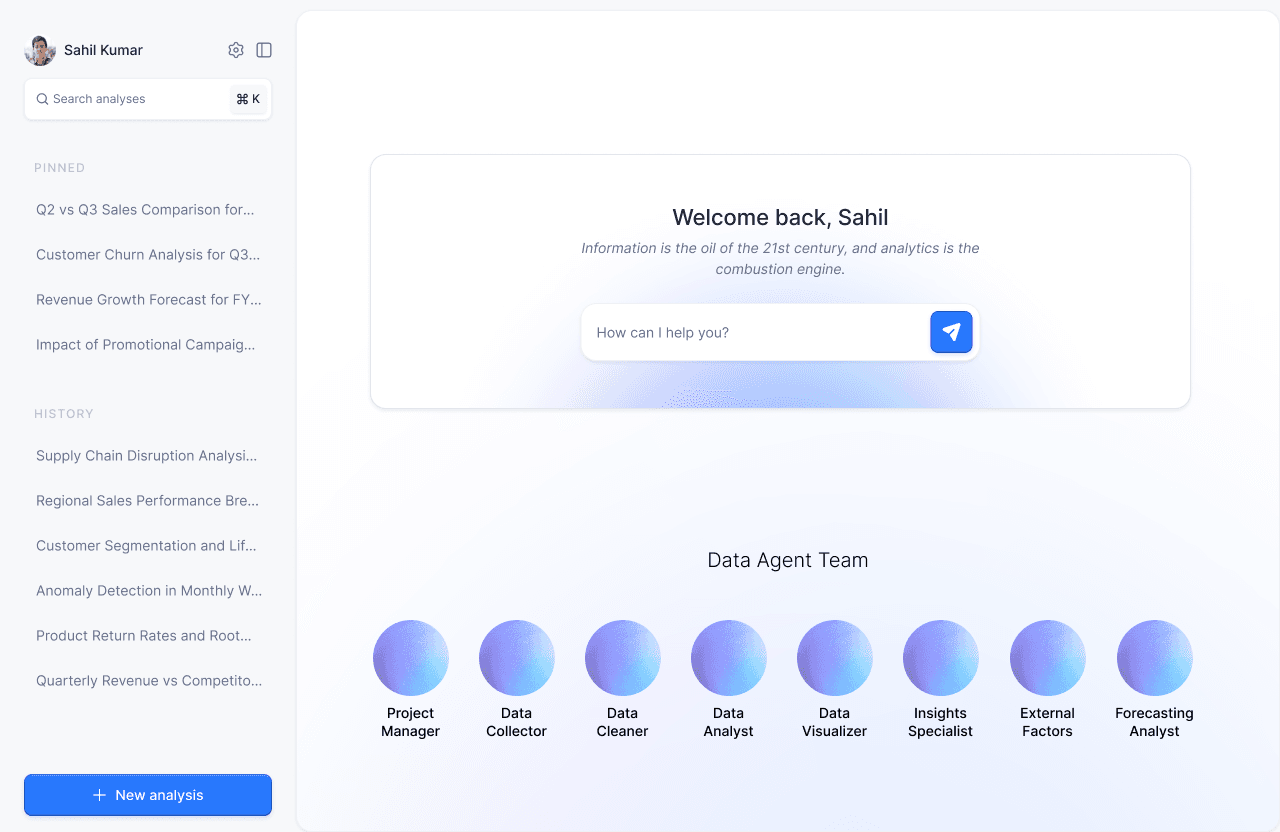
The first version was a Chatgpt stlye interface where the user could interact with multiple agents to get their questions answered.
User can ask their questions in a chat interface
Key Insights from Testing
- Visibility into data was essential: Analysts didn’t just want the final visualizations, they wanted to see the raw data being used.
- Access to the code was non-negotiable: Any SQL or Python code generated by the multi-agent system needed to be visible and editable. Analysts wanted to tweak queries, optimize joins, and validate logic without leaving the tool.
Impact on the Next Iteration
- Added a data preview panel alongside visualizations so users could inspect underlying datasets.
- Integrated a code editor (similar to Jupyter notebooks) where generated SQL or Python scripts could be reviewed and modified before execution.
- Created a canvas in the UI to allocate dedicated space for “Data” and “Code” tabs, ensuring transparency and control.
Focus on small and medium business owners
As we continued our research and conversations, we started to see a higher demand from small to medium businesses for analytics tools. These businesses were often using multiple SaaS tools but lacked dedicated analytics resources.
Our design goals became:
- Conversational-first interface: Users could simply ask questions in plain language and receive visualized insights without touching raw data.
- Optional Transparency for Power Users: Business leaders who had the expertise could still open the hood to see or modify the data tables and scripts.
- Guided Insights: The system proactively suggested relevant metrics or follow-up questions, reducing the need for manual exploration.
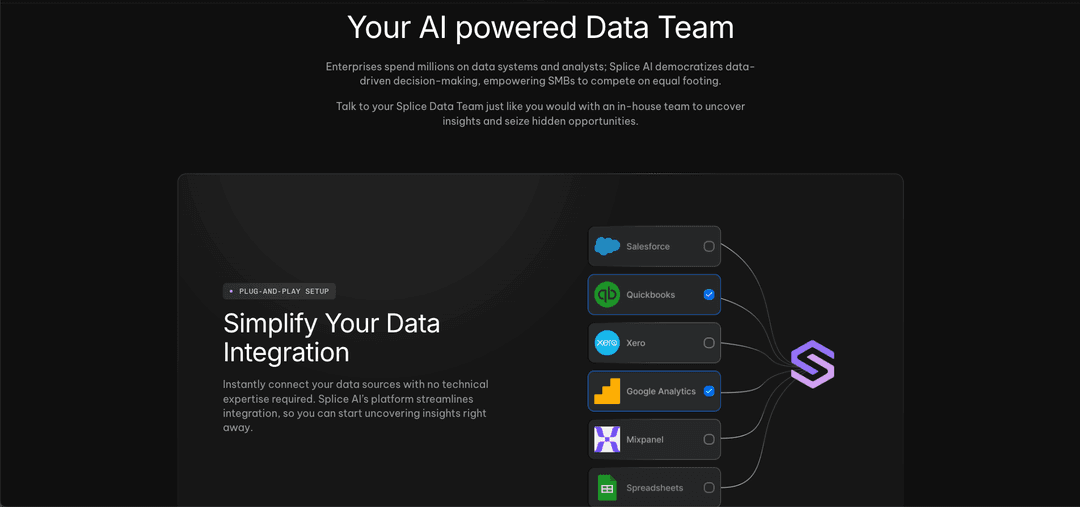
1. Users can connect data from multiple SaaS products
Typically small busineses use different SaaS products (CRM, analytics, inventory management, etc.) which means that the data is framgemnted. They do not have a data warehouse or data engineering capapbilities. Splice would help connect all the data without investing in a data warehouse.
User can connect various datasets together.
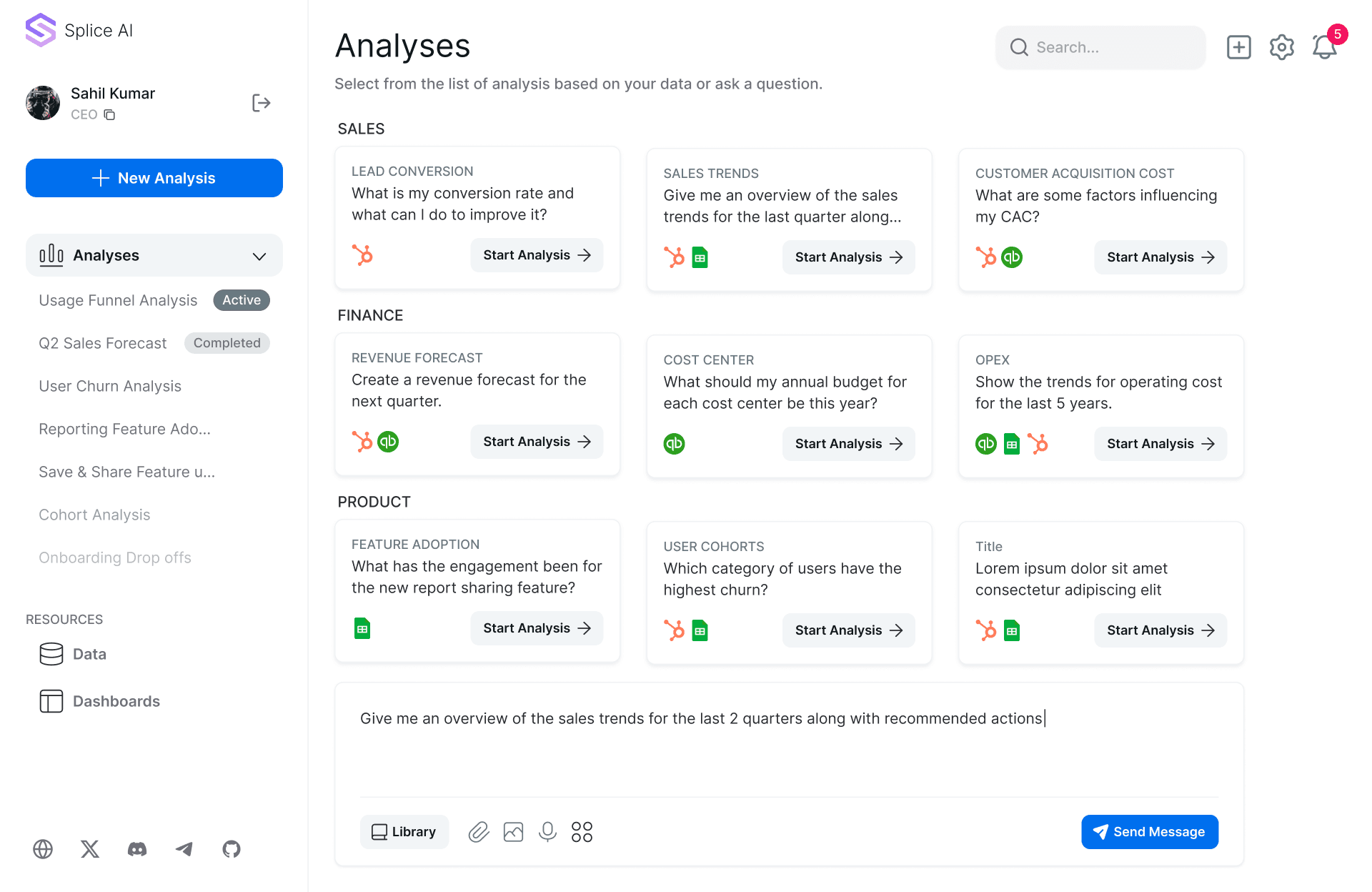
2. Multiple Agents Transform, Clean & Analyze the data
Users can ask questions that they have about the data and Splice agents will provide them the analysis along with visualizations. Business users do not need to worry about tranformation, cleaning and running sql queries. They can share the results via a report or save them in a dashboard.
Users can choose from preset analyses or ask a question.
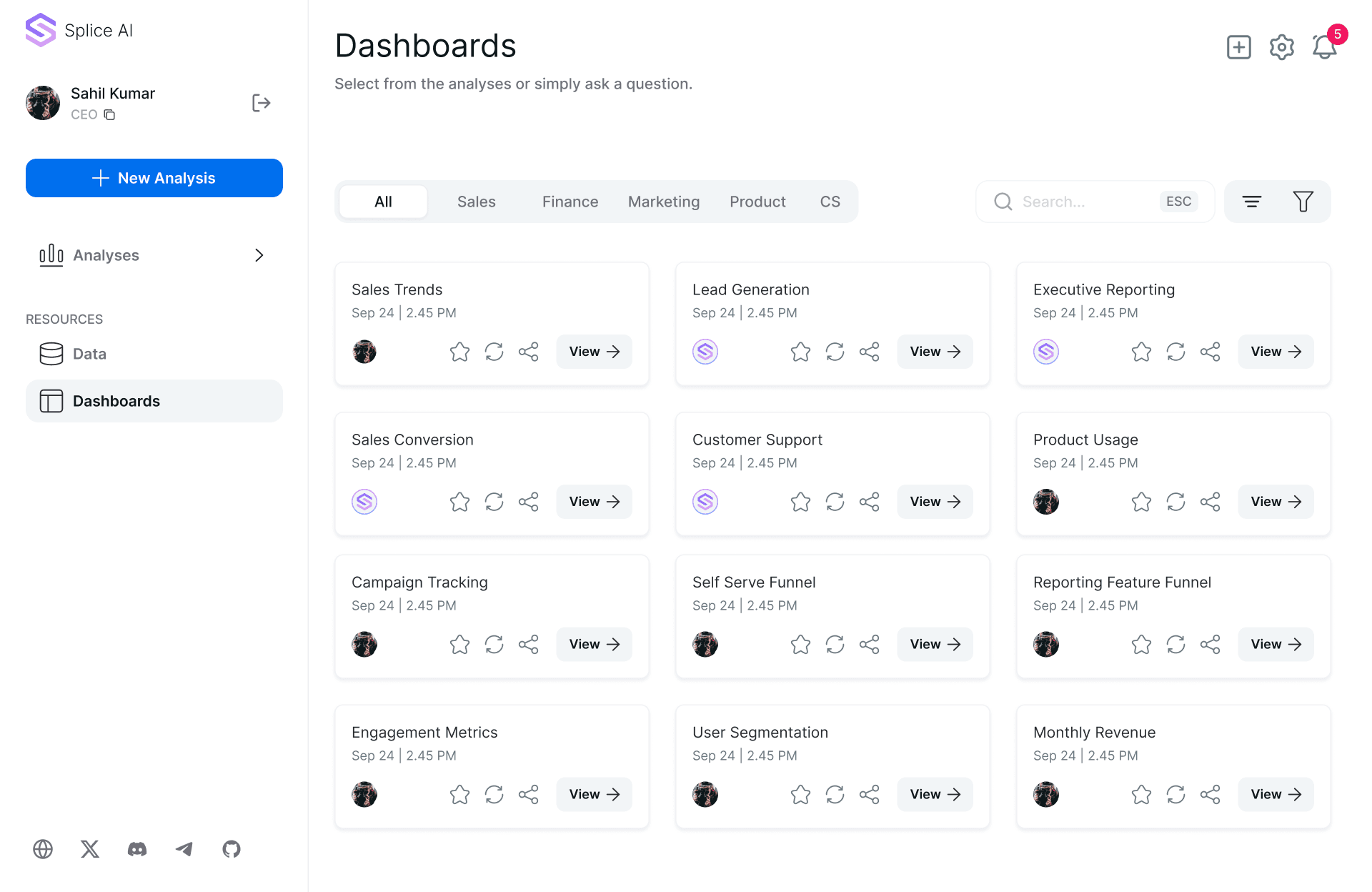
3. Users can create Dashboards conversationally
Users can add and modify dashboards conversationally to share insights with other stakeholders. They can modify charts by prompting the agents and ask follow up questions about the data.
Users can choose a dashboard or prompt to create anew one.
Validating the multi-agent backend with a terminal prototype.
Before building the full UI, we created a terminal-based prototype to validate the multi-agent backend.
In this version, users could upload a dataset, ask a question, and work with the agents (Project Lead, Data Engineer, Cleaning Specialist, Analyst, Visualization Expert) to produce an answer.
The terminal demo gave us a clear, transparent view of how the agents collaborated step-by-step, and it became a powerful way to show early adopters and potential partners how Splice AI could turn a question into an actionable, visualized insight in minutes.
Positioning Splice AI as a complete, out-of-the-box analytics team.
Our go-to-market strategy focused on small and medium-sized businesses that were already using multiple SaaS tools but lacked dedicated analytics resources.
Positioning
We positioned Splice AI as the “in-house analytics team you don’t have to hire”, a way to turn messy, siloed data into clear, actionable insights without technical overhead.
Competitive Analysis
While there were established players in the BI and analytics space, most were too complex, too expensive, or too resource-heavy for SMBs. There were many pieces of teh Modern Data Stack that needed to be stitched together, maintained and the cost of each one added up.
Our Differentiation
- End-to-end automation: Multi-agent system covering discovery, cleaning, analysis, and visualization.
- Dual user modes: Analyst view for full control, business-user view for simplicity.
- Plug-and-play setup: No need for extensive onboarding, infrastructure, or maintenance.
Running real-world tests with a diverse set of SMB customers.
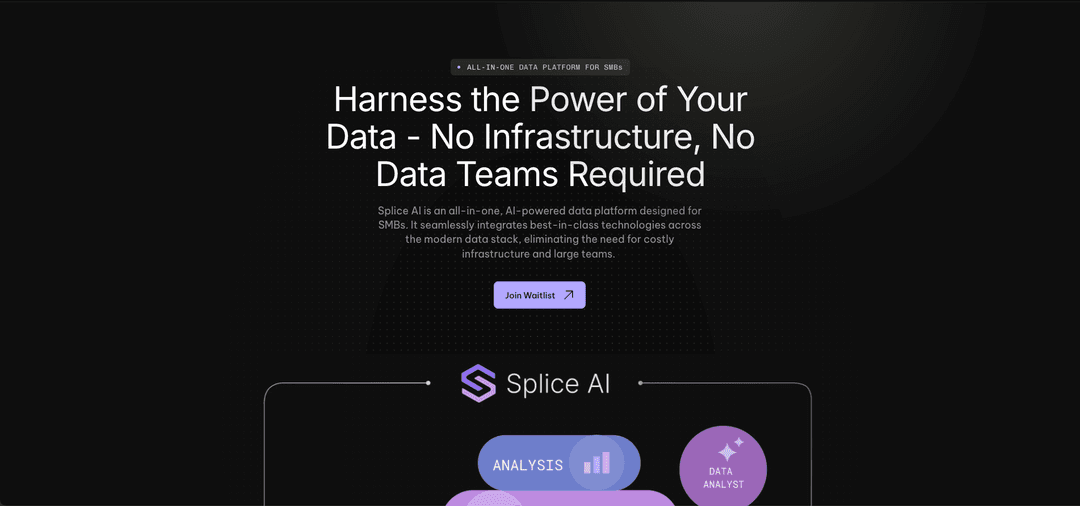
To validate Splice AI in real-world conditions, we launched a private pilot program targeting a handful of SMBs that matched our ICP. We created a simple landing page with a signup form and reached out through our network, inviting companies to share a real business question they needed answered.
How It Worked
- Participants connected their core data sources (CRM, finance, product usage logs).
- They submitted 2–3 burning business questions via Slack.
- Our multi-agent system ran the end-to-end workflow and delivered results in PDF format, along with visualizations and supporting datasets.
Example Pilot Requests & Outputs
Sports Analytics Startup
- Question: “Which customer segments have the highest likelihood of churning this quarter?”
- Output: Churn risk model + table of high-risk accounts + recommended retention actions.
Packaging Supplier
- Question: “What products have the highest repeat purchase rate over the last 6 months?”
- Output: Ranked product list with repeat purchase percentage, plus a cohort analysis visualization.
Professional Services Firm
- Question: “Which marketing channels bring in the most profitable clients?”
- Output: ROI comparison chart across channels + SQL queries for transparency.
This pilot helped us understand the real world challenges of working with a diverse set of companies with varying data needs.
Conclusion
While pilot users loved the speed and quality of the insights, we faced a recurring challenge:
Every company’s data was different, stored in various formats, spread across multiple tools, and structured in unique ways.
This meant that, despite the automation in our multi-agent system, significant manual setup was still required for each new customer.
Unifying these disparate data sources into a consistent, analysis-ready format proved technically complex.
These challenges highlighted the need for more robust data integration and normalization capabilities before Splice AI could scale seamlessly across customers.